
For independent beauty professionals
Clients, appointments and repeat visits — in one calm workspace
Keep client details, appointments, visit history and next actions connected — without a complicated salon system.
Start with what you need today and add more as you go.
Does this feel familiar?
The appointment is in one place. The client details are somewhere else.
Many independent professionals work between a calendar, messages, notes and memory. It works — until an important detail or the next visit is missed.
- 01
The client context is scattered
The appointment may be in the calendar, while preferences, prices and notes remain in different conversations or pages.
- 02
The next visit stays in your head
You know a client may need another appointment in a few weeks, but there is no clear next action.
- 03
Finding information takes longer than it should
Before replying or preparing for a visit, you have to remember where the relevant detail was saved.
Your current method is understandable. Rebooky simply connects what is currently separate.
- Calendar entryThu · 16:30
- NoteShorter length next time
- ReminderAsk about rebooking
How Rebooky fits into your work
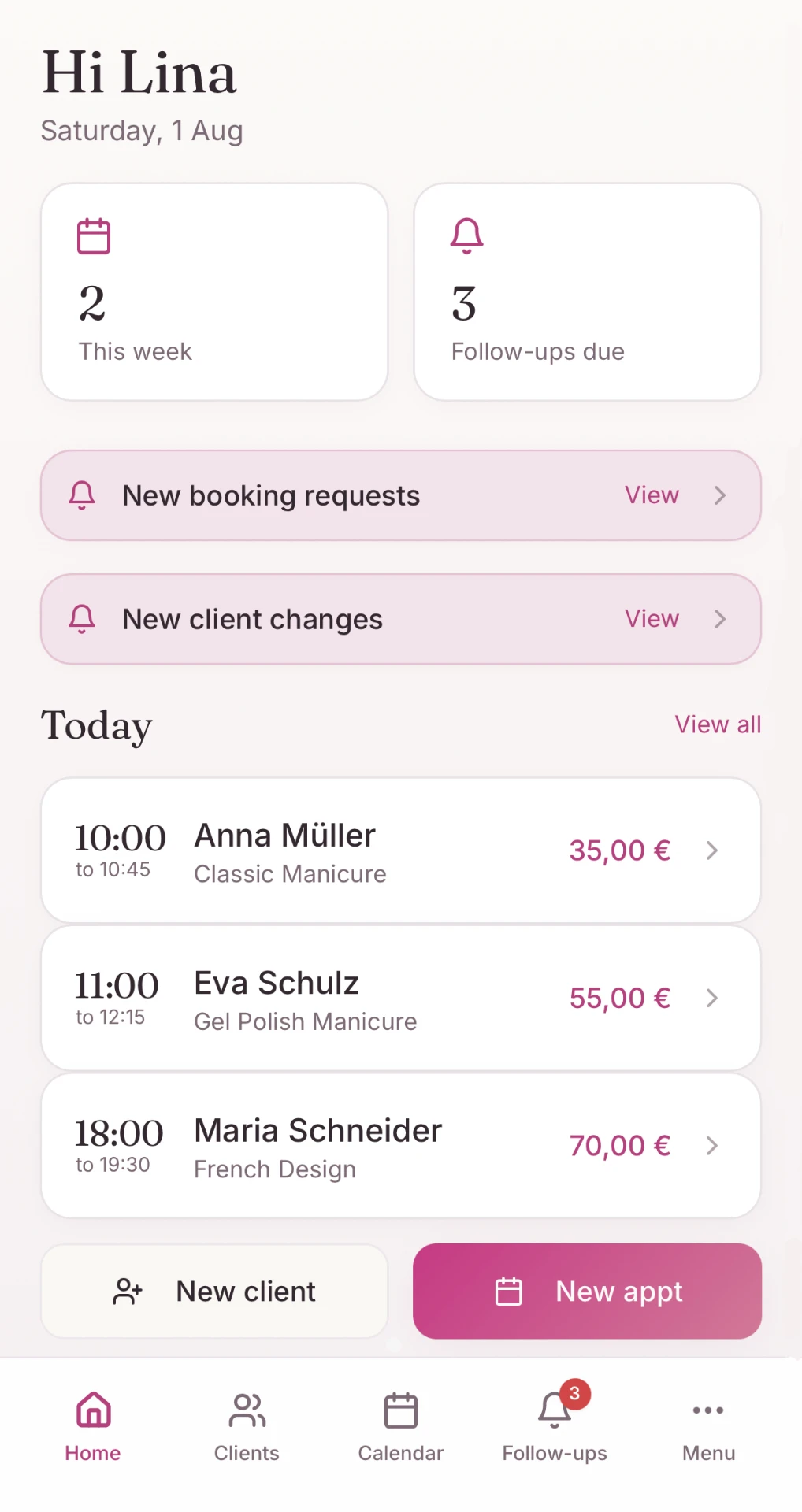
One appointment becomes a useful client history
You do not need to maintain separate records for every stage. The information stays connected as the work moves forward.
Stage 01 · Appointment
Add the appointment once
Add it manually or receive a booking request through your personal booking page.
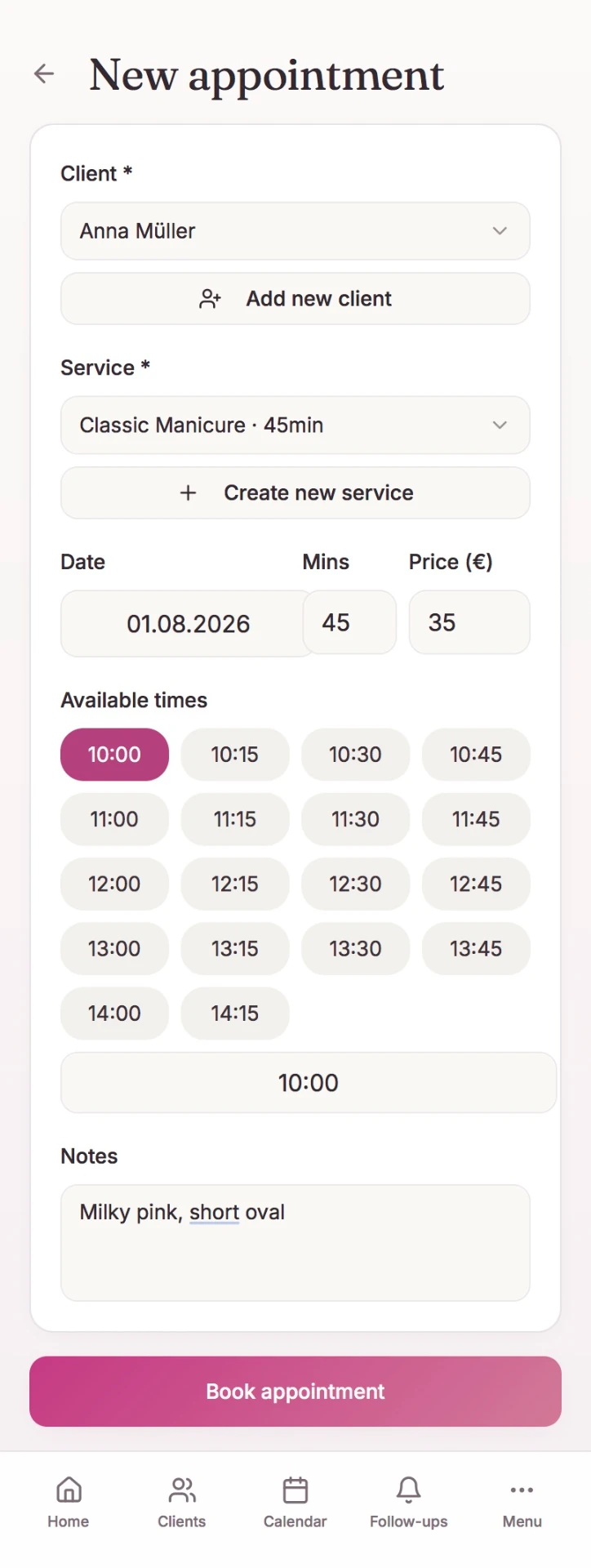
Add the information once. Use it again when you actually need it.
Repeat visits
Remember the next visit without keeping every date in your head
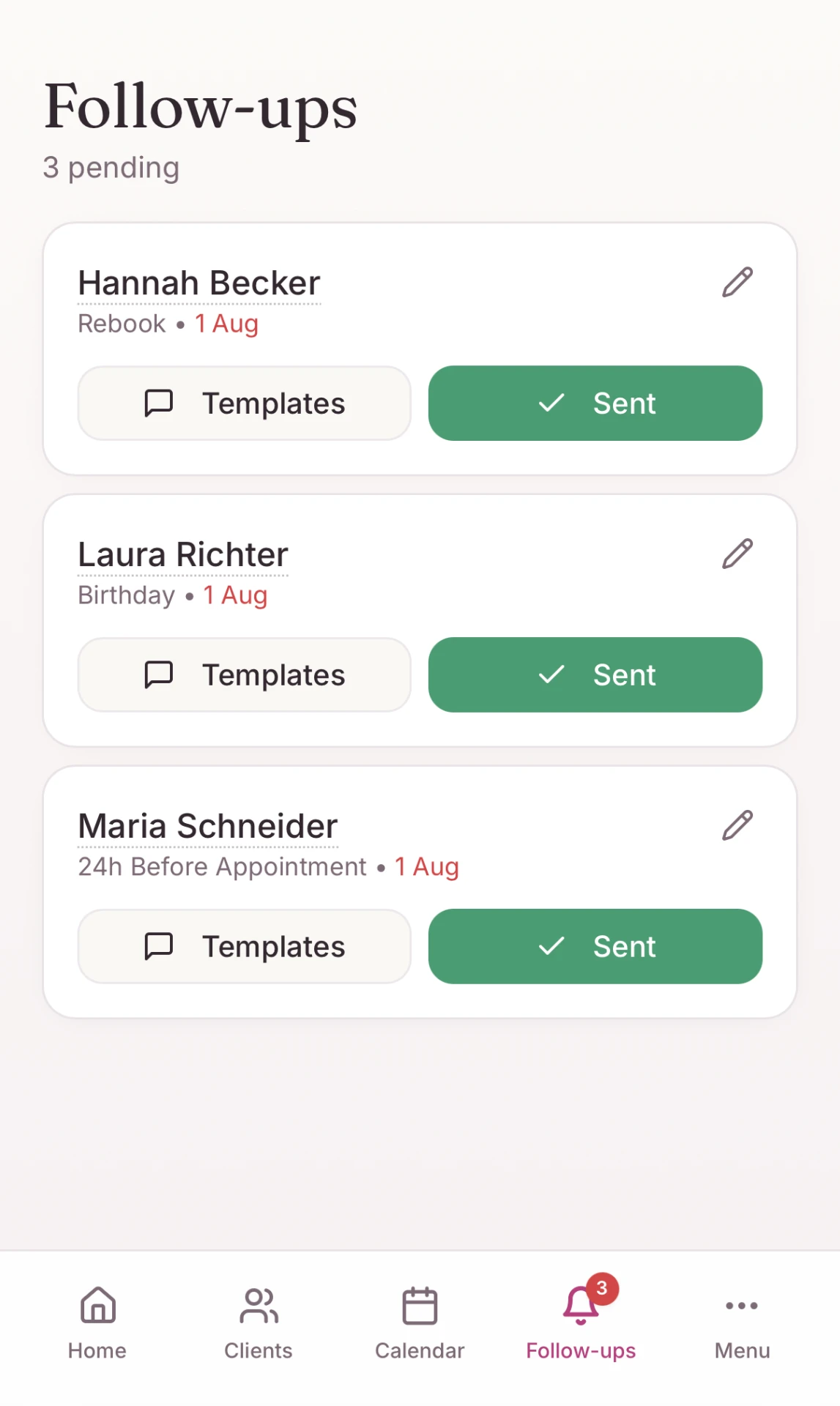
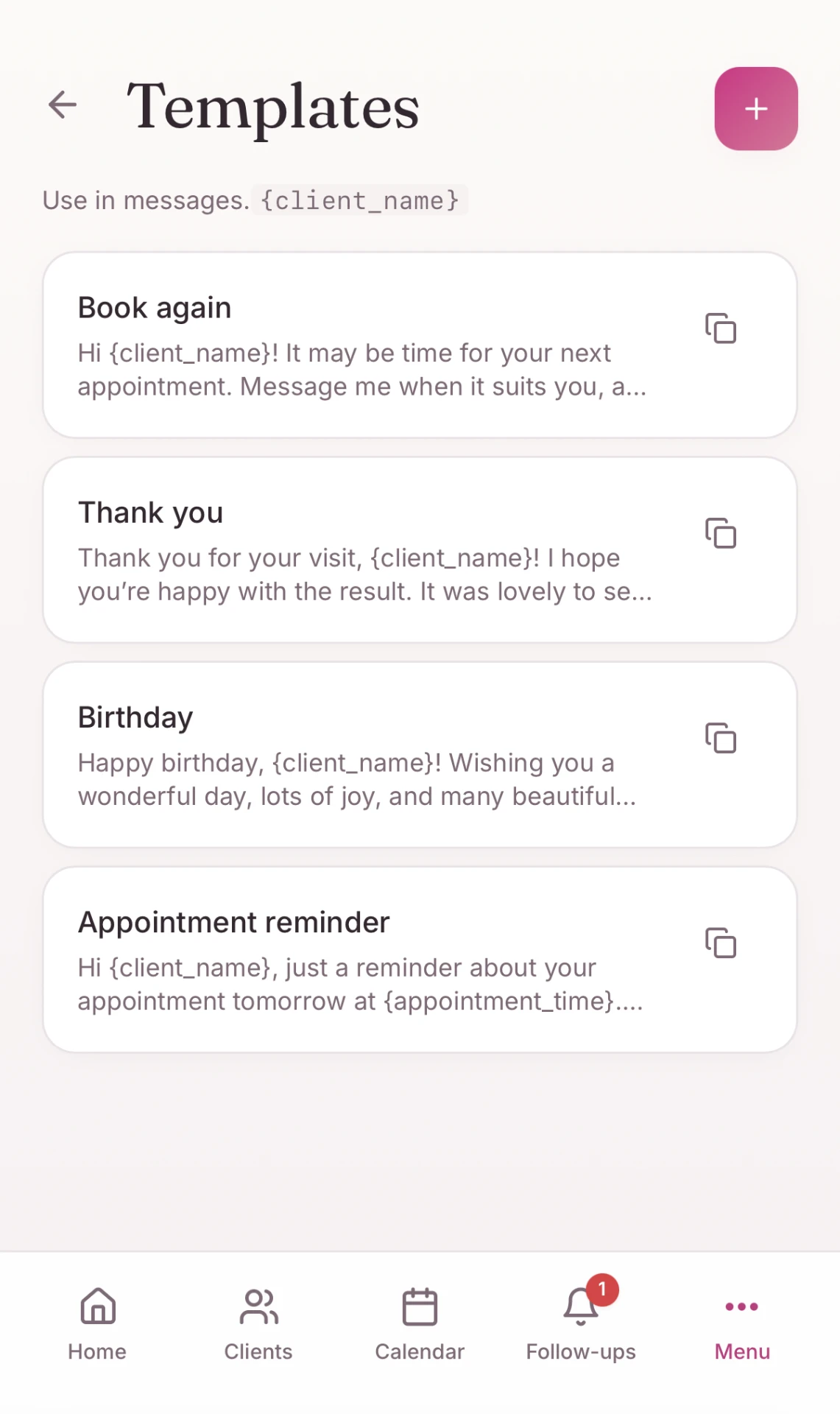
Save when a client may be ready to return. When the time comes, Rebooky shows the follow-up together with the relevant client context.
- 01
Set the suggested return time
After the completed visit, add the suggested number of days until the next appointment.
- 02
See the follow-up when it is due
The client appears in your list of next actions.
- 03
Review, adapt and contact
Open the client context, copy a saved template and send it through the channel you already use.
Rebooky reminds you and prepares the context. Rebooking messages are not sent automatically.
Your online booking page
Less messaging about available times. More control over every booking.
For you
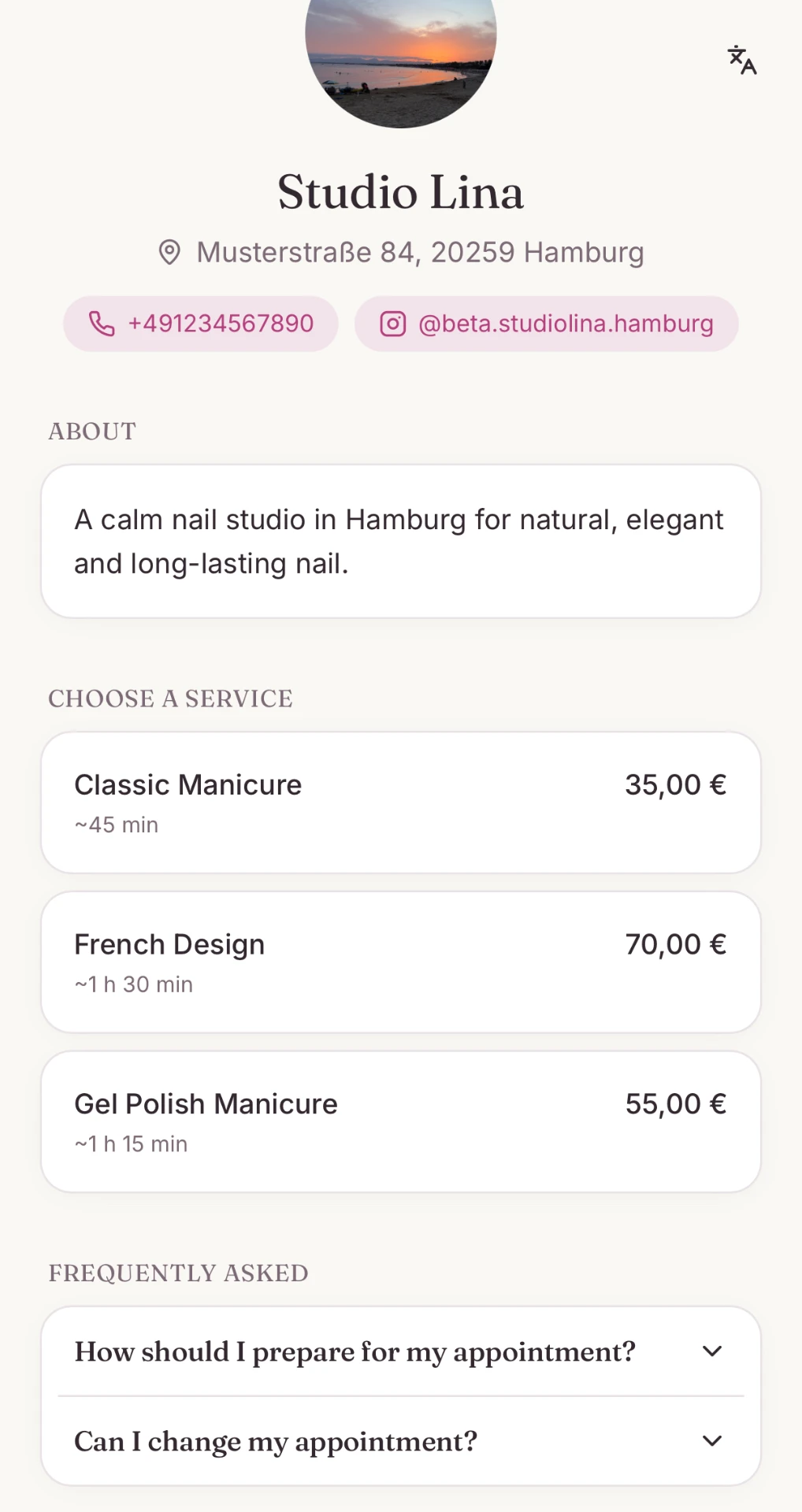
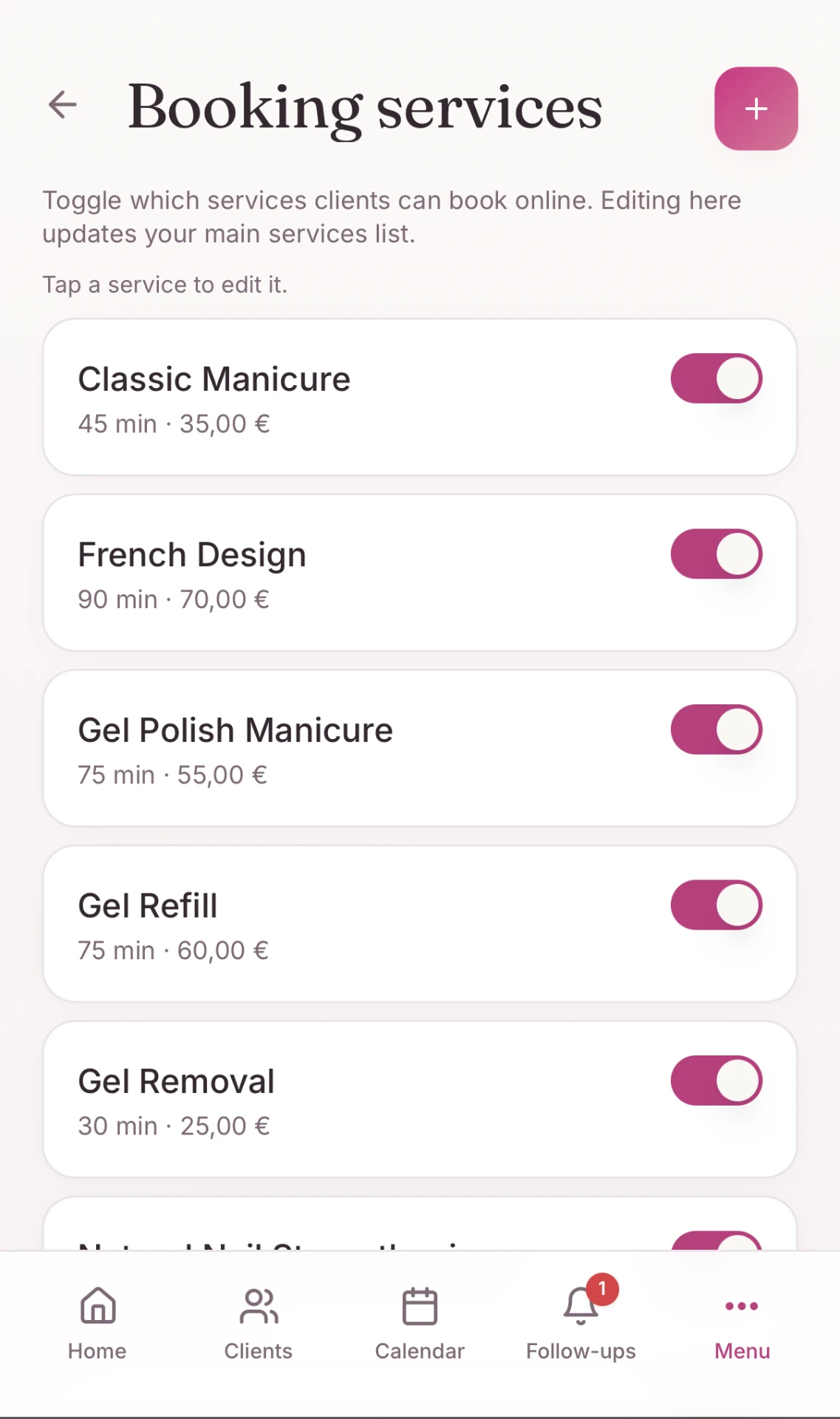
Show only the services you want clients to book, with duration and price.
When this option is enabled, eligible online appointments may receive an email reminder 24 hours beforehand.
Clients see only the services and available times you choose to offer. Rebooky is not a marketplace.
The everyday essentials
Use the parts you need — without learning a heavy system
Clients
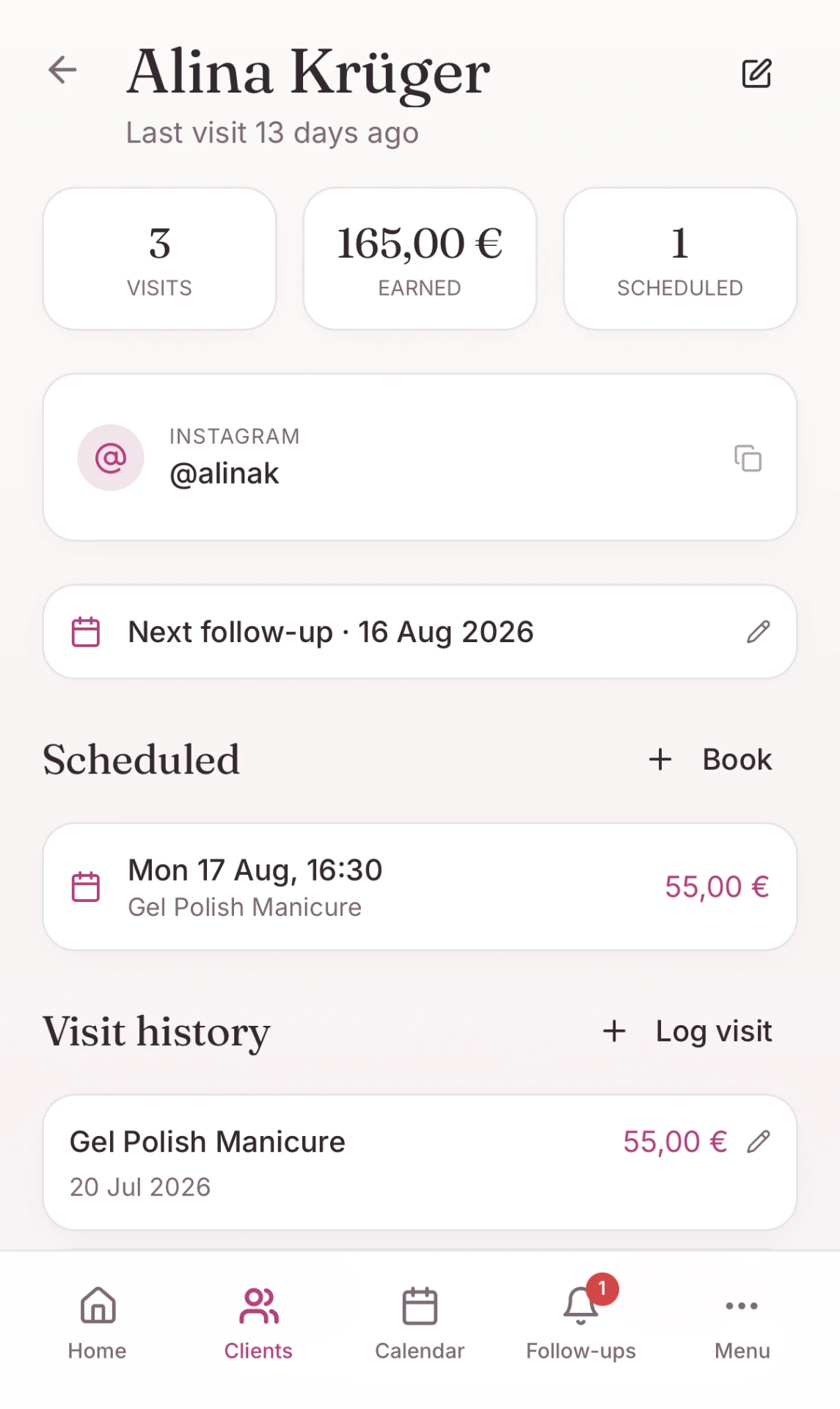
Keep contact details, notes, visit history and upcoming appointments together.
Built for independent work
You do not have to change everything to start
No full migration before you begin
You do not need to enter every client in one day. Start with the next appointment and let the history build as clients return.
Use it from your phone
Open Rebooky in your browser and add it to your Home Screen for quick access.
Use Rebooky from your phone, tablet or computer.
Your workspace is connected to your account
If you change or lose a device, sign in to your account from another phone, tablet or computer and continue working.
More structure without salon complexity
Rebooky is designed for independent professionals and very small owner-operated studios where one person manages clients and bookings.
No payroll, commissions, complex permissions or separate staff calendars.
Available in English, Deutsch, Українська and Русский.
First three steps
What happens after your first sign-in
A short setup, then you continue with the work you already have.
- 01
Create your account
Choose your language and complete the short setup.
- 02
Add the next client or appointment
Begin with the work already coming next.
- 03
Build the history as you work
Client history, notes and reminders build naturally as you work.
Before you start
Questions people ask before opening Rebooky
Start small
Your next appointment is enough to begin
Add your next appointment to Rebooky. The rest can build gradually as you work.
Use it from your phone and add it to your Home Screen.